


oriday.hk
oriday New AI Smart Glasses | Instant Translation + Object Recognition + 4K HD Recording — Smart Wearable Technology
oriday New AI Smart Glasses | Instant Translation + Object Recognition + 4K HD Recording — Smart Wearable Technology
Couldn't load pickup availability
Product Parameters
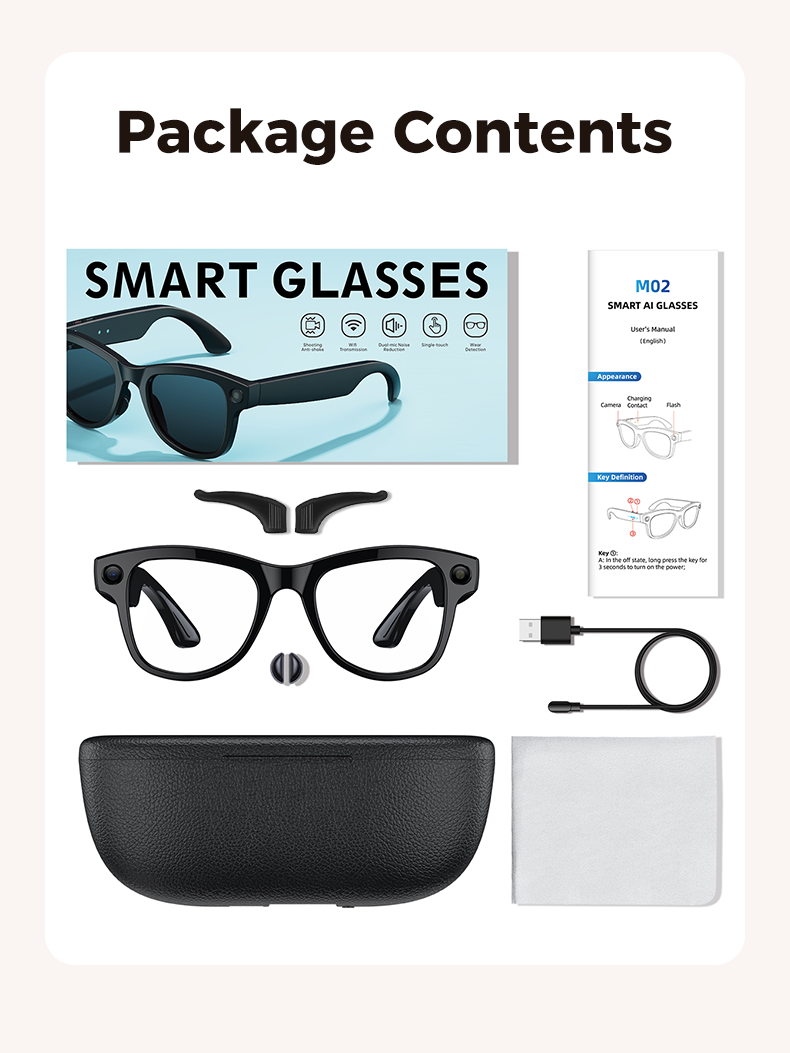
Product Name: AI Smart Photography Glasses
Product Model: M02
Material: ABS+PC
Packaging Quantity: 25 pcs
Product Size: 152*54 mm
Gift Box Size: 182*88*78 mm
Outer Box Size: 45.5*41.8*19.6 cm
Single Weight/Gross Weight: 54/499 g
Carton Weight/Gross Weight: 13.4 kg
Product Color: Full Black/Red/White Tea/Black Frame Transparent
Photo: 3000W, Video 1200p, 30fps
Camera Resolution: 800W, Compatible with 1200P, MP4 format, Wi-Fi transmission
Monitor: Sony IMX219, 800W
Storage: SD NAND Chip/32 GB
Battery Capacity: 290mAh
Charging Interface: 3600mAh Charging Glasses Case
Input Voltage: DC5V
Product Selling Points:
1. Basic Functions
Video recording, photography, audio recording, music playback, voice calls, OTA upgrades, alert sounds, app functionality, internal storage, integration with large models, AI object recognition, AI conversation, AI voice wake-up, simultaneous translation, conversation translation, music playback while wearing, video stabilization, noise reduction with dual microphones, charging case supports charging glasses and phone.
2. Appearance Features
Monitor, physical buttons, touch area, dual speakers, indicator lights, magnetic charging, charging case.
User Manual:
1. Button 1
In the off state, press and hold for 3 seconds to power on.
In the on state, press and hold for 5 seconds to power off.
In the on state, press and hold for 10 seconds to restore factory settings (this will erase all data on the device, use with caution).
In the on state, press once to take a photo, which will be automatically saved in the product’s local memory and can be imported to your phone after connecting with the app.
In the on state, double-click quickly to start video recording. Click once again to end the recording, the video will be automatically saved in the product’s local memory and can be imported to your phone after connecting with the app.
In the on state, press and hold for 16 seconds to force restart the product and enter connection mode.
When a call comes in, press once to answer the call, press and hold for 3 seconds to reject the call.
2. Button 2
In the on state, press once to wake up the AI voice assistant (the HeyCyan app must remain on the front display).
In the on state, press and hold for 2 seconds to start the audio recording function; Double-click quickly to activate the object recognition function during photography.
3. Touch Area
While playing music, double-click the touch area to start/pause the playback.
While playing music, triple-click the touch area to switch to the previous song.
While playing music, press and hold the touch area to skip to the next song.
4. Sliding Area
In the designated sliding area, swipe left/right with your finger to adjust the volume up/down.
…………………………………………………………………
oriday is a local brand from Hong Kong dedicated to developing high-quality and precision electronic home appliances for the global market. We have our own factories in Shenzhen and Dongguan, China, to ensure product quality and delivery schedules.
Follow us on social media to learn more:
oriday, a local brand in Hong Kong, is committed to developing sophisticated and high-quality home electronic and electrical products to the world. We have our own factories in Shenzhen, Dongguan, China to ensure quality and delivery.
Follow us on social media to learn more:
Ins:https://www.instagram.com/oridayhk/
Twitter:https://twitter.com/oridayhk
Youtube:https://www.youtube.com/@oridayhk
Facebook:https://www.facebook.com/oridayhk
Share


Global Wholesale & Corporate Partnerships (B2B FAQ)
Do you accept international wholesale orders, and what are your accepted payment methods?
Yes, we warmly welcome wholesalers, distributors, and corporate buyers from all over the world. To ensure a seamless transaction experience for international clients, we support a variety of mainstream payment methods, including Telegraphic Transfer (T/T), Letter of Credit (L/C) for large orders, PayPal, and secure Escrow services. All official commercial invoices can be issued in USD, EUR, GBP, or HKD to fully accommodate your corporate accounting and financial workflows.
What is the Minimum Order Quantity (MOQ) for bulk orders, and do you support custom OEM/ODM services?
We offer flexible and scalable MOQ options tailored to businesses of different scales:
- Ready-to-Ship Wholesale (Standard Products): The MOQ for our standard models is just 200 units, which can be dispatched rapidly from our factory warehouses in Mainland China or our overseas regional fulfillment centers.
- Custom Branding (OEM/ODM): If you require custom logo printing on the product body, customized housing colors, or bespoke retail packaging, the MOQ starts from 1,000 units.
Please feel free to contact our global sales team to request our latest tiered wholesale pricing sheet.
How do you handle international shipping, and which Incoterms do you support?
Backed by a robust global supply chain and logistics network, we flexibly support various international commercial terms, including FOB (Free on Board), CIF (Cost, Insurance, and Freight), and DDP (Delivered Duty Paid). Our DDP service is particularly favored by cross-border e-commerce sellers and overseas buyers, as it provides a hassle-free, one-stop "customs-cleared and duty-prepaid door-to-door" delivery, eliminating any complex import procedures on your end. We partner with top-tier express couriers (DHL, FedEx, UPS) for fast air freight, and reliable ocean/rail freight forwarders for cost-effective container-load shipments.
Do your products comply with global electronic and safety certification standards?
Safety and regulatory compliance are our absolute bottom lines. All our products are developed and manufactured under strict international quality management systems and have obtained major global certifications, including CE (Europe), FCC (United States), and RoHS (Environmental Compliance). Furthermore, the built-in rechargeable lithium batteries fully comply with UN38.3 and MSDS safety standards for air and sea transport, ensuring seamless customs clearance and hassle-free global shipping to any country or region.